
How to monitor multiple cities (and when to use all cities)
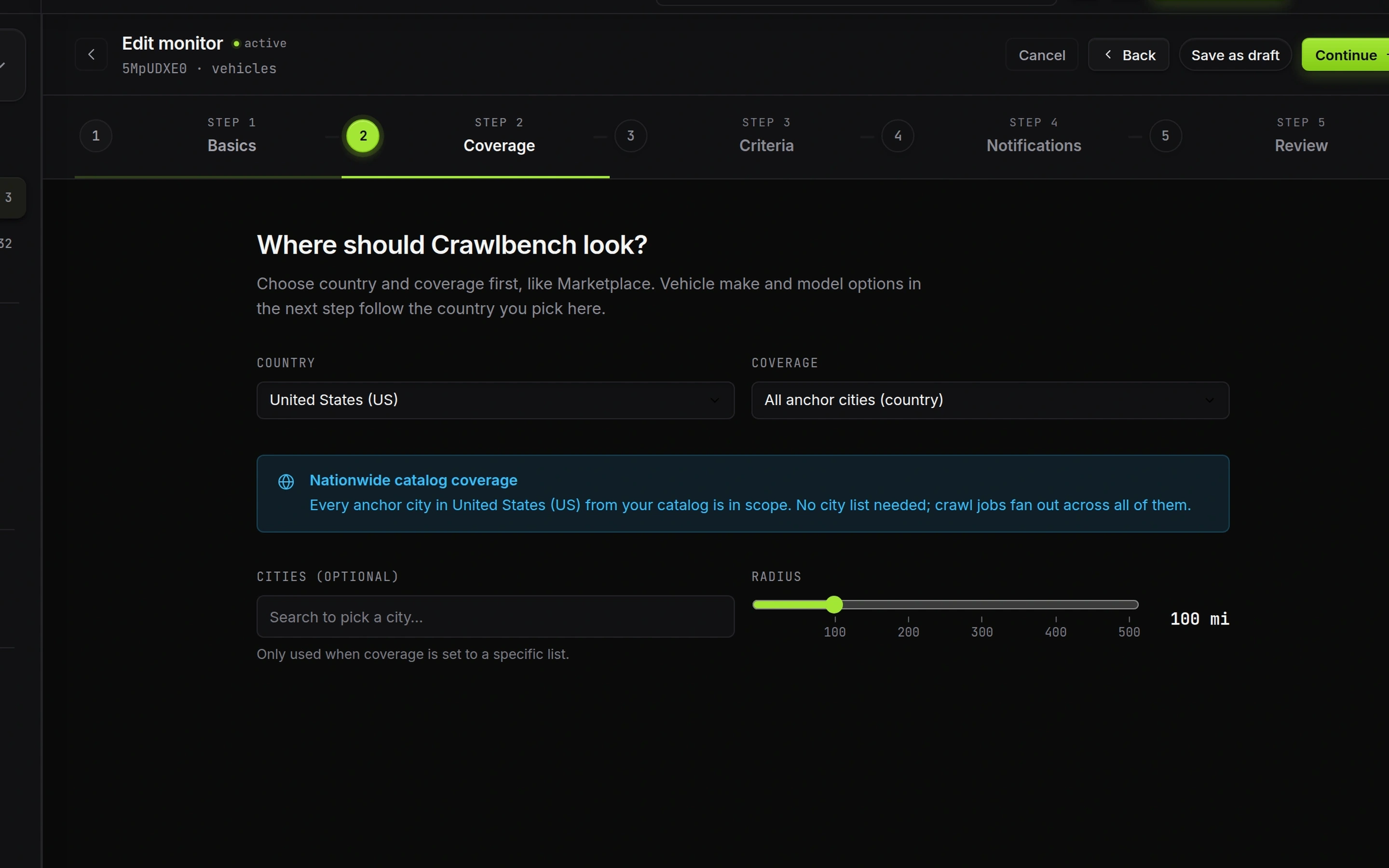
Set coverage in the monitor wizard Coverage step. Pick country, then Single city, Custom city list, or All anchor cities. City slots are an account budget. Spend them on markets you will actually triage.
Wider coverage without filter discipline fills the queue with driving you will never do.
Coverage modes
| Mode | Use when |
|---|---|
| Single city | One metro you run every week |
| Custom city list | A short lane of cities you can cover |
| All anchor cities | Nationwide catalog coverage on a tight buy box |
Radius applies to specific city lists. It should match pickup reality, not ambition.
Custom city list
Choose Custom city list, add cities, set radius. Keep the list short enough that a match batch is still messageable the same day.
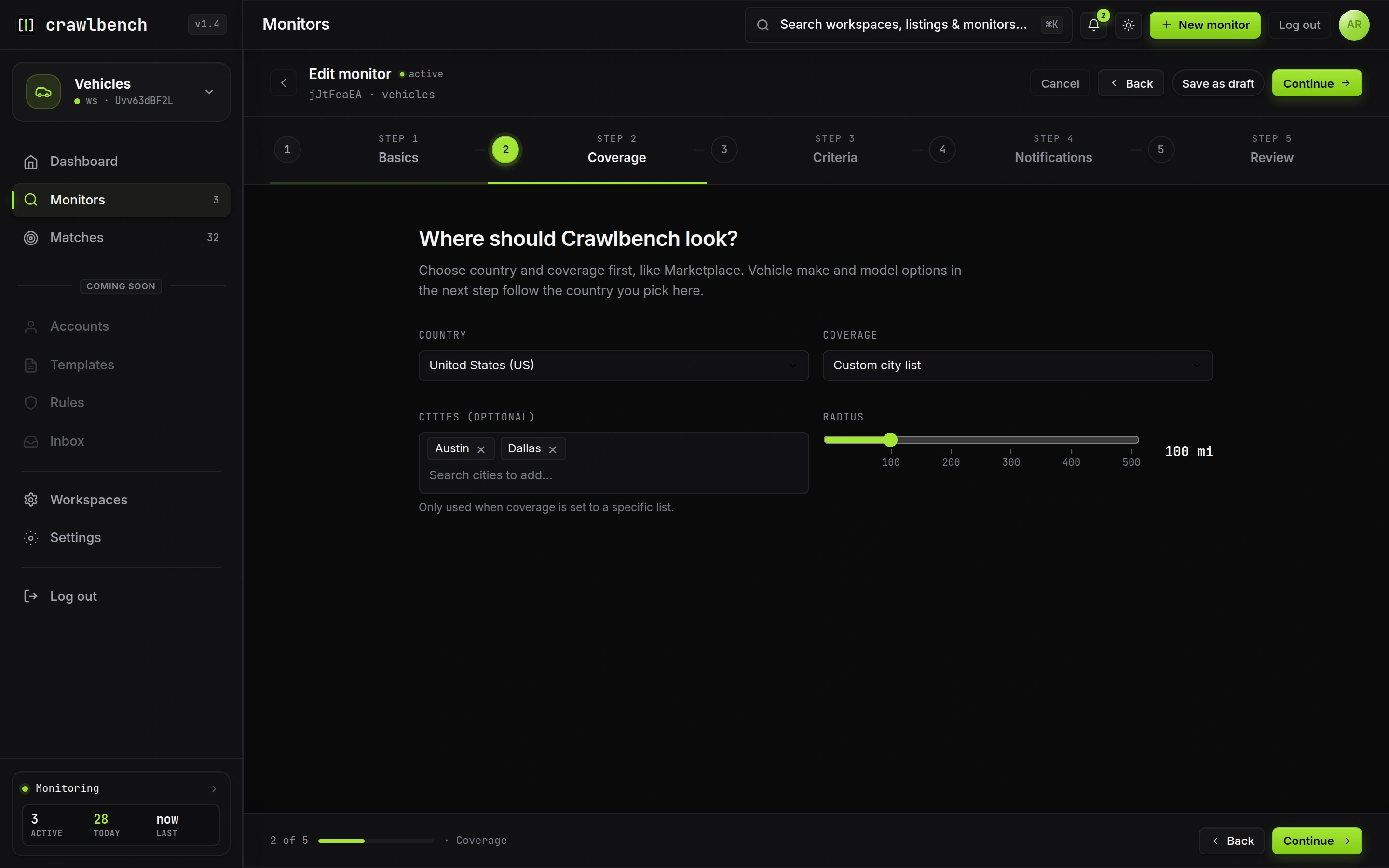
Two solid metros beat eight cities you ignore. Add a city only after the first queue stays clean.
All cities
All anchor cities consumes your full city-slot budget for that account. Crawlbench rotates anchors across cycles. Unlimited city slots can cover the full catalog each cycle. A finite budget rotates a slice each wave.
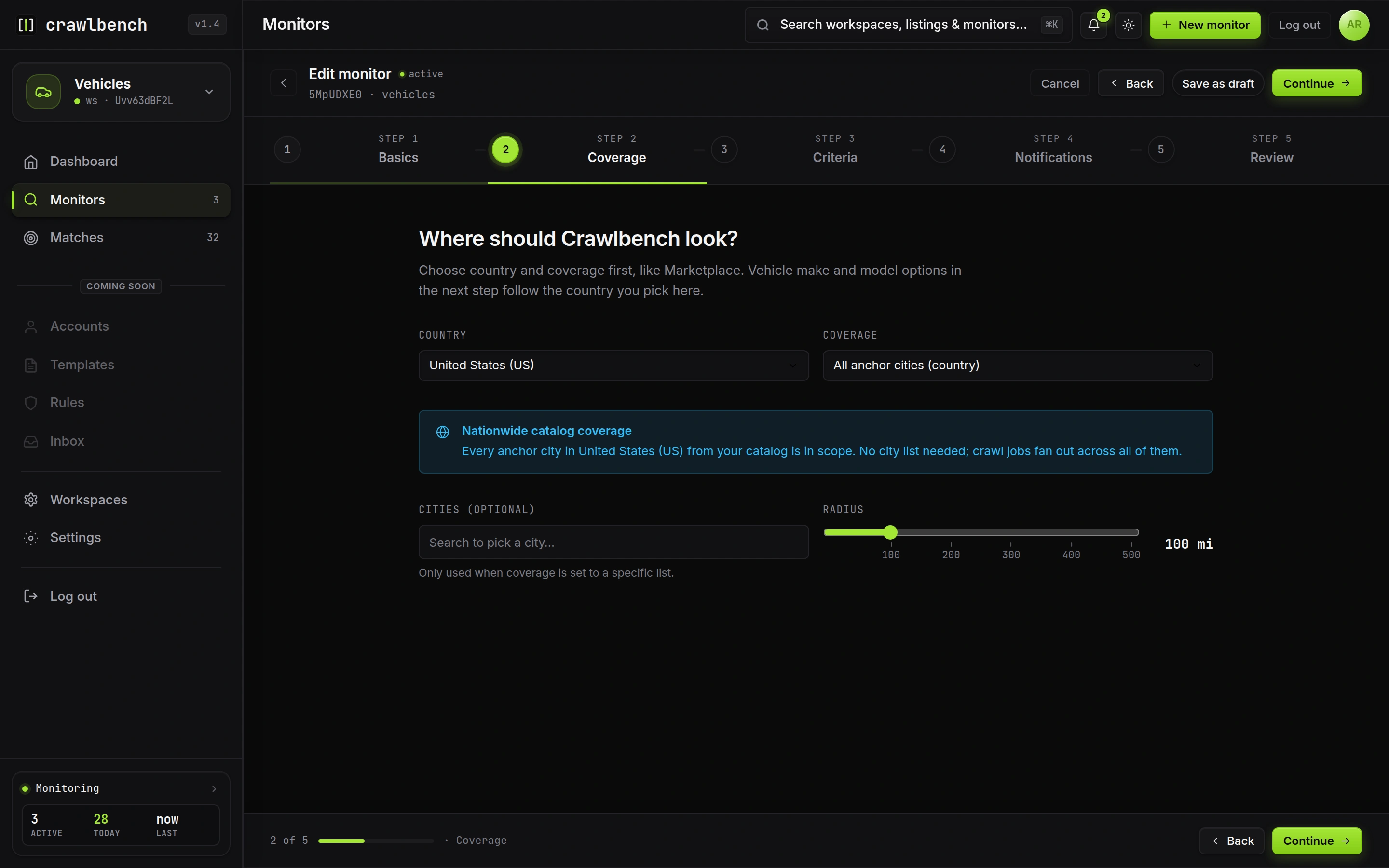
Use all cities when the buy box is tight (make/model, price, year, exclusions). A vague nationwide keyword monitor is a noise machine.
Read coverage labels on Monitors
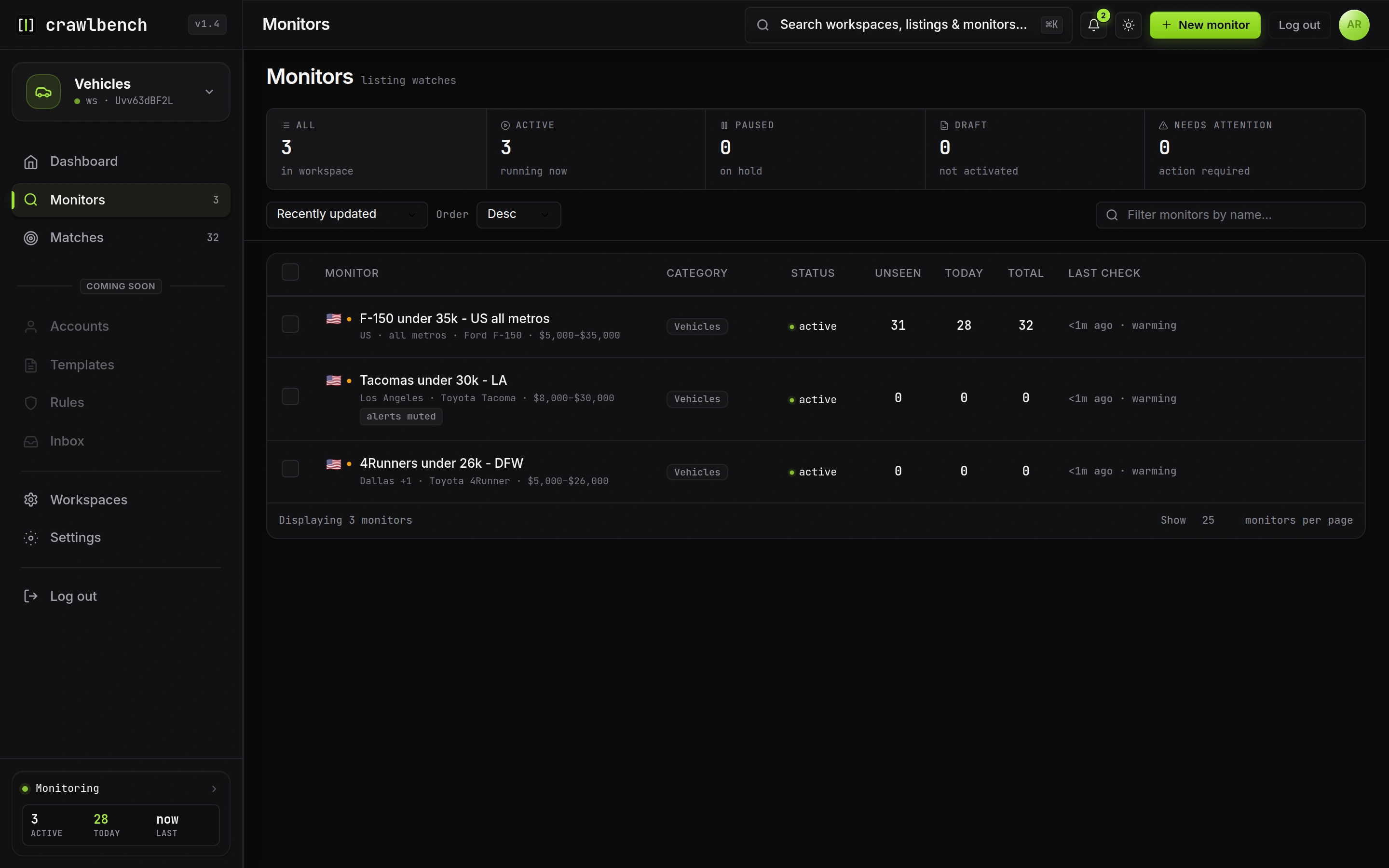
The monitors list shows how each profile is scoped: a city name, +N for extra metros, or all-metros language for nationwide.
Check Settings → Billing for remaining city slots before you activate another wide monitor.