
Guides
How to read market prices for a search
Open a search's market prices (year ladder, usual price, range, cities) before you chase a listing. These are asking prices, not sold prices.
Guides
Turn alert channels on or off, and connect Slack and Discord.
Open Alerts in the sidebar. Each channel is on or off: turn on the ones you check, connect Slack or Discord with a webhook, and turn a noisy search off from its card. You still message sellers on Facebook yourself.
Telegram setup lives in a separate guide. This page covers email, Slack, Discord, and turning a search off.
Alerts cover recent listings only, at most two days old. The first check of a new search fills Home with listings already on Marketplace and does not flood your channels. A price drop on a saved listing is not limited by that window.
Open Alerts. Email, Phone, Telegram, Slack, and Discord each show as on or off. Turn on the ones you check and leave off the ones you never look at. Turning everything on feels complete and trains you to ignore the inbox.
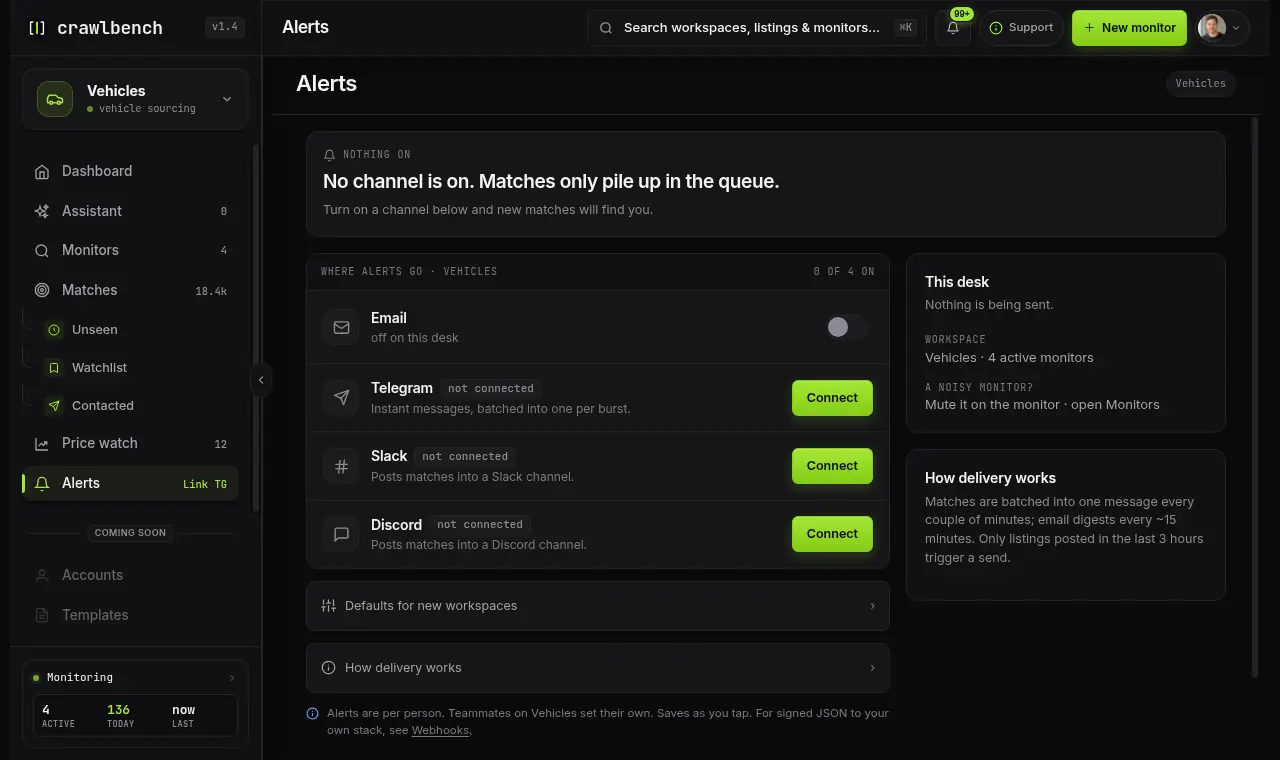
Email needs a verified address. Slack and Discord need a webhook connected first.
On Alerts, tap Connect on Slack or Discord and paste an incoming webhook URL. The steps walk you through the setup in Slack or Discord.
Slack and Discord belong to the team. The team owner connects them, and then every team search posts there.
To stop a search, turn it off on its card in Searches. It stops being checked and stops alerting, and its listings stay where they are. Turn it on again when you want it back.
| What you need | Prefer |
|---|---|
| Fast phone reaction | Telegram on |
| Team channel review | Slack or Discord on |
| Quieter review later | Email on |
| One noisy search | Turn that search off |
Guides
Open a search's market prices (year ladder, usual price, range, cities) before you chase a listing. These are asking prices, not sold prices.
Guides
Choose one city, your own list of cities, or all cities, and spend city slots on places you will actually review.
Guides
A new search is checked at once, busy cities are checked as often as your plan says, and alerts cover new listings.

Crawlbench compares each new listing with similar ones nearby and alerts you when a good one appears. Your first search goes live at signup.
Free for 24 hours. No credit card.