

Guides
How to set search filters that cut noise
Use identity, price, year and excluded words so your listings stay easy to review instead of flooded.
Guides
Open the search wizard, pick a category and location, set what you buy, and turn the search on.
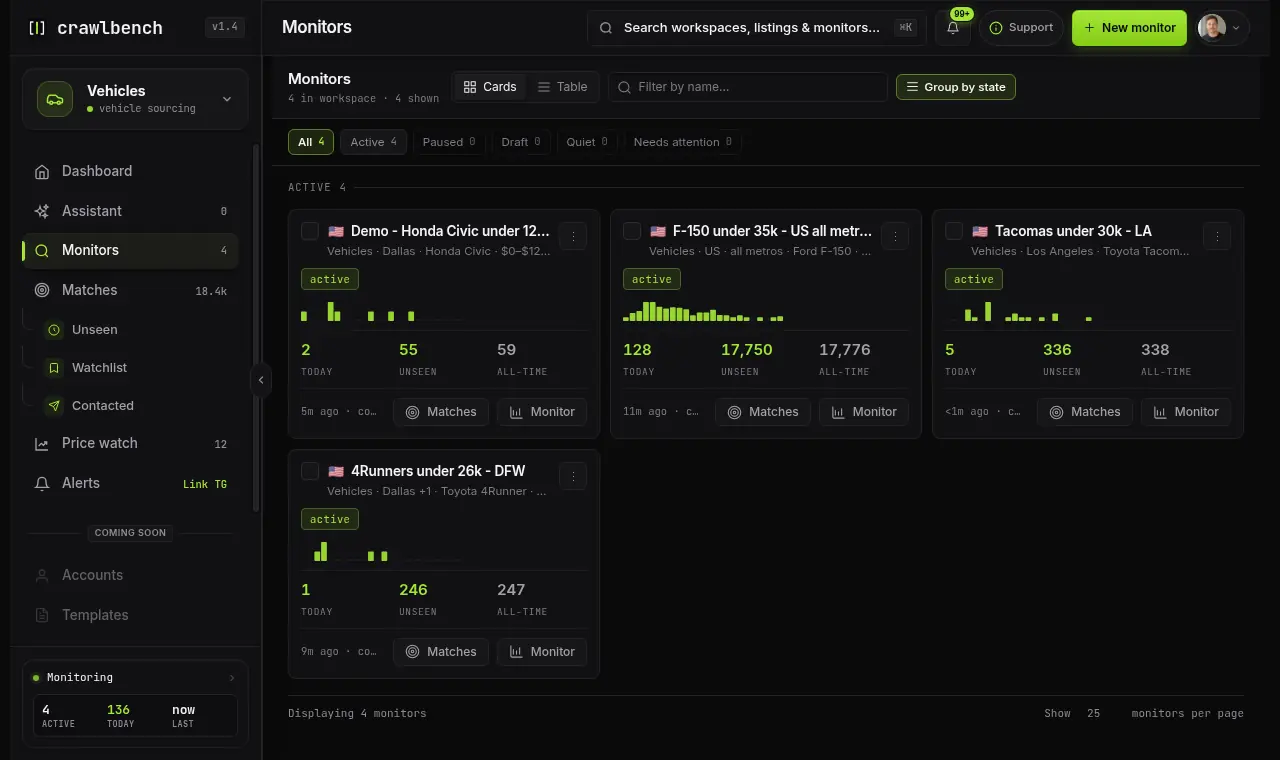
Create the first monitor from Monitors → New monitor. Pick a category, cities, and a buy box, then activate. Marketplace checks fill Matches. A listing posted after you turn the monitor on alerts on that monitor's recency window. One posted before that stays on the desk.
Do not start with five cities and a vague keyword. One tight monitor teaches you the desk faster than a wide net.
You need a Crawlbench account, a team, and a one-sentence buy box you would defend to a partner.
Write the buy box first on paper:
If that sentence needs three "or" clauses, split into two monitors later.
Open Monitors, then New monitor. The wizard walks category → location → filters → review.
Pick the category that matches how Facebook lists the inventory. Vehicles use make/model identity when available. Real estate and electronics use the filters that category exposes.
The wizard opens blank. Optional templates on this step can pre-fill a buy box. They are not selected for you. After you pick a country on Coverage, a template's price and model follow that market (so a UAE starter is not a US dollar 4Runner band).
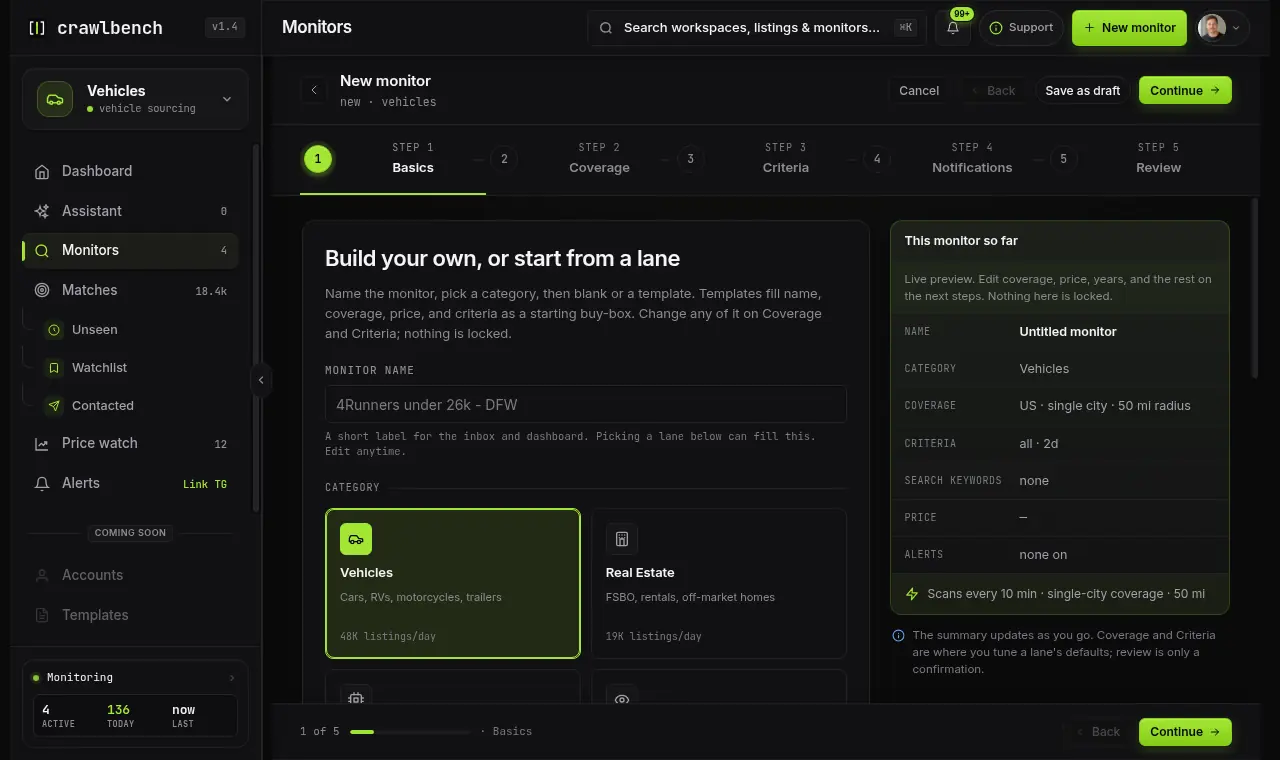
Wrong category means weak filters and noisy matches. If you buy cars, start on Vehicles even when sellers also post in general Marketplace search.
Add the cities you will cover this week. Radius should match pickup reality, not ambition. Facebook's Marketplace radius may not restrict vehicle results, so treat the number as your travel rule (why radius fails).
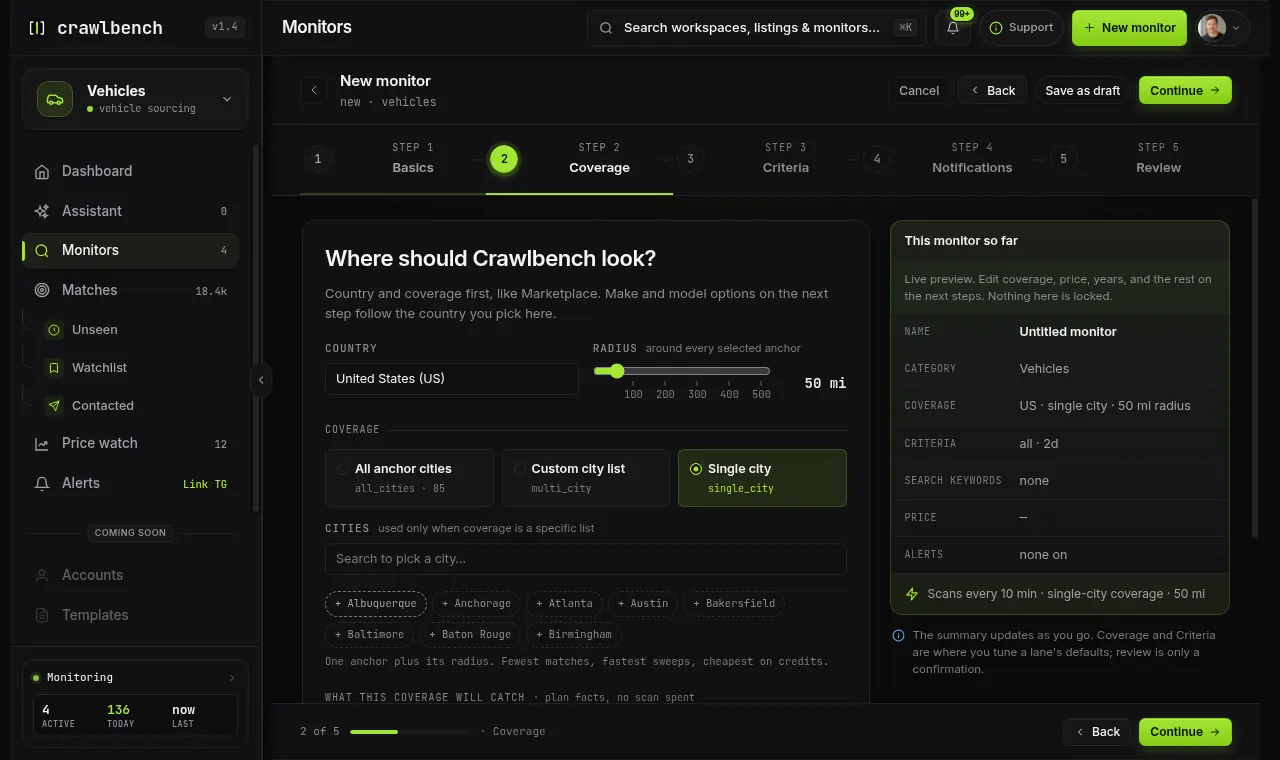
All cities consumes your full city-slot budget and rotates anchors across cycles. For a first monitor, pick a short city list you can triage.
Set price, year or condition, identity fields, and excluded terms. Sort your mental model as Newest arrivals, not browsing stale stock.
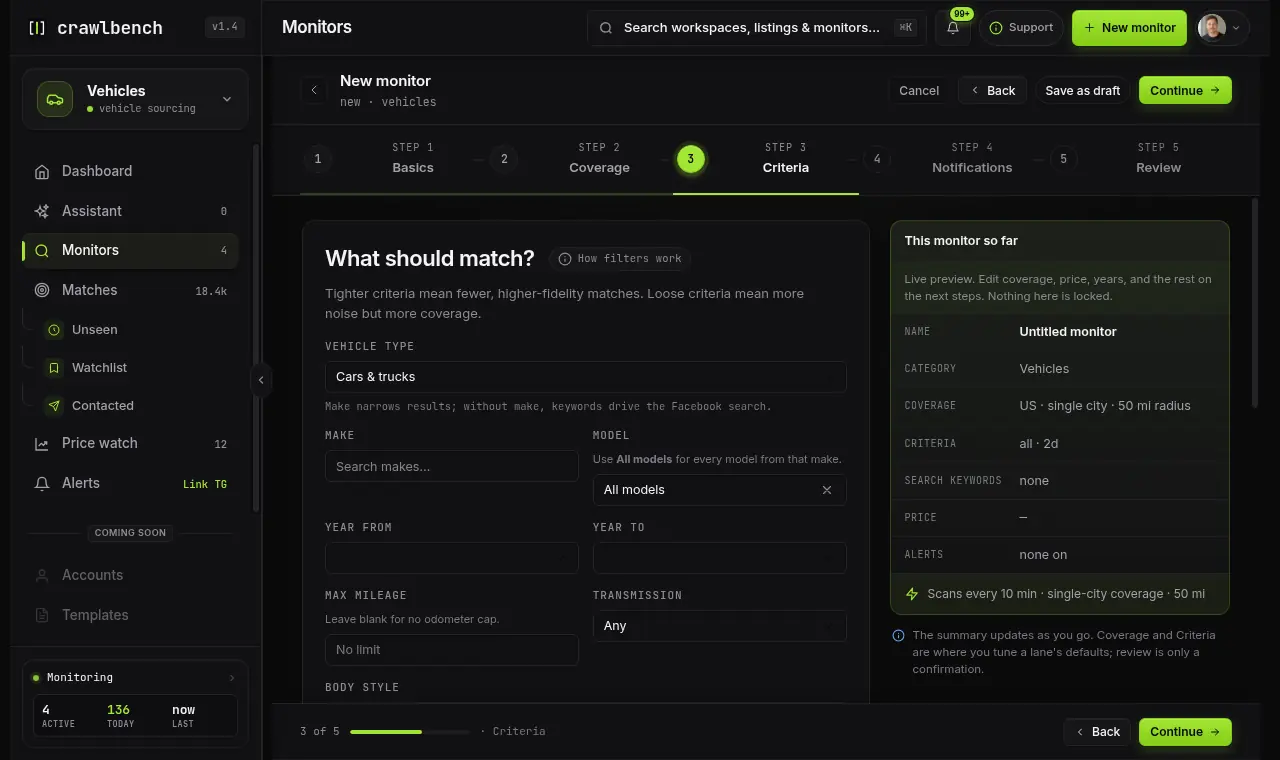
Price alone is weak. Pair a price cap with a year floor and a few exclusions so typo miracles and junk never enter the queue.
Give the monitor a name you will recognize in alerts. Review the summary, then activate.
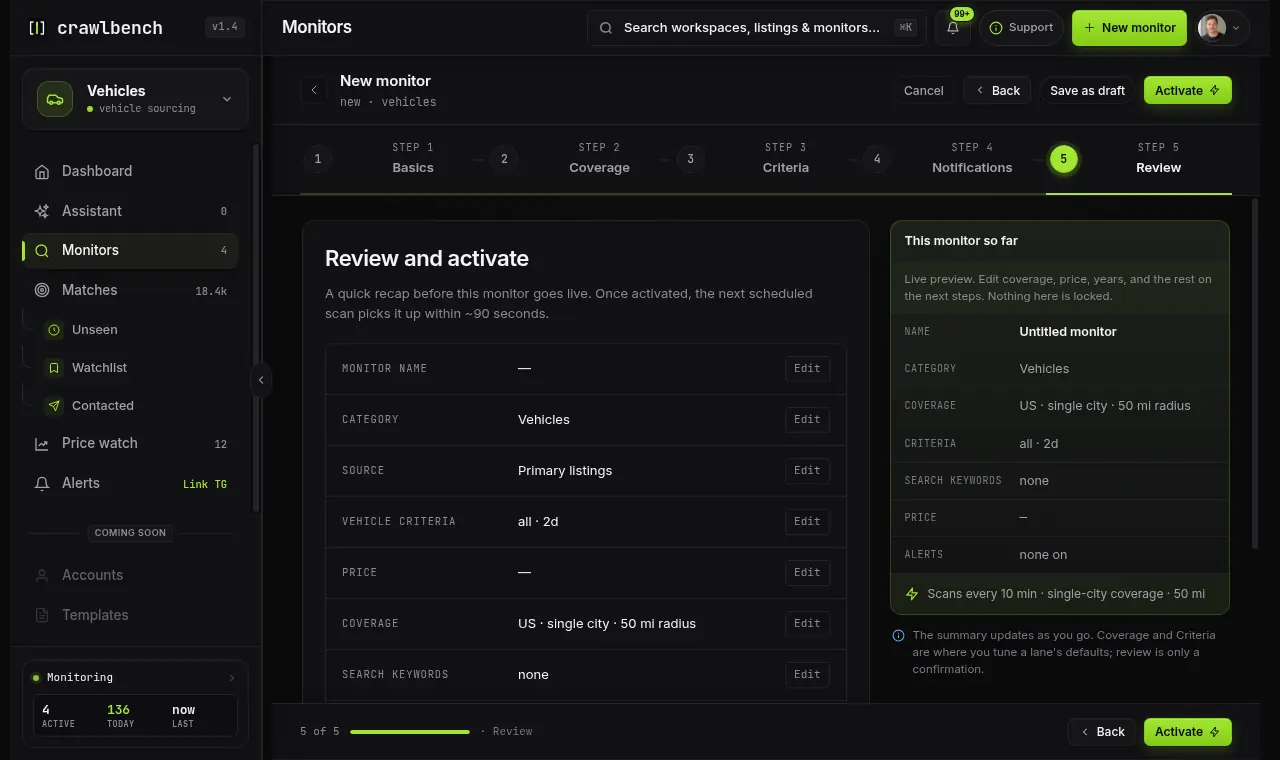
Activation starts Marketplace checks subject to your plan. New accounts may start a Day Pass on first activation. Coverage rotates across cities, so treat cadence as alerts within minutes (customizable), not a live ticker for every ZIP every minute.
Crawlbench runs an immediate first check (deeper than later cycles), then short follow-ups, then the normal cadence. On a live lane, alerts often land within minutes, sometimes about a minute after a post. Cadence is customizable and can be made much faster. Listings that already sit on Marketplace and pass your filters land in Matches right away. That baseline fill is expected.
New-match alerts on email, Telegram, Slack, Discord, and match-created webhooks follow that monitor's recency window (at most two days) for a listing posted after you turn the monitor on, including in the first minute. Listings already up at that moment stay on the desk so you can triage without a notification storm. Price-cut alerts on matches you already have are not limited by that window.
You message sellers on Facebook. Crawlbench does not auto-DM.
Next: set filters that cut noise, then read the dashboard so you know when coverage is healthy. For the full argument that excludes beat a longer keyword list, see excludes beat more keywords.
Stay on one monitor until you can triage it in under two minutes per alert batch. Add a second city or SKU only after the first queue stays clean for a week.
Guides
Use identity, price, year and excluded words so your listings stay easy to review instead of flooded.
Guides
Use coverage, trends and your searches on Home to know whether your team is catching listings or needs to act.
Guides
Read why each listing passed, hide what you would never buy, then message the seller on Facebook or save it for later.

Crawlbench compares each new listing with similar ones nearby and alerts you when a good one appears. Your first search goes live at signup.
Free for 24 hours. No credit card.